It was my second. Updated and newer version. Unpacked it myself from the box. Virgin. Brand new yet disappointing.
In this post I will share my experience of Apple MacBook Pro 15 inch, 2018 model.
This is my second MacBook Pro that I have used and both were given by my employer. Never had the cash or interest to buy one of my own. Probably I will want to keep my interests the same unless Apple comes up with something interesting. Anyways lets move on to the review.
SPECIFICATIONS
CPU -> Intel Core i7 2.2 GHz
RAM -> 16 GB, 2600 DDR4
HDD -> 500 GB SSD
GRAPHICS -> Intel UHD 630, Integrated
mac-OS -> Mojave (10.14.6)
With that specification people expect that the software might fly but that is not the case with this MacBook. My usual software stack include Firefox with 8 – 10 tabs open, Microsoft Outlook, WebEx Teams, Text Wrangler and iTerm. All of these are lightweight programs not requiring any high processing / graphic intensive workload.
DISPLAY
The display, no surprises, is very good and crisp. Retina displays are know for being vibrant and crisp. Apple does wonders here with 220 Pixels/Inch. The display also changes brightness based on the background lighting which is a very handy feature. In fact 9 out of 10 times the True Tone Technology is spot on while changing the display calibration according to the surroundings.
Brightness of 500 Nits at Max is very bright and in most of the cases I always set it to 50% or less. The wide color gamut with 1920 x 1200 supported resolution is soft on the eyes. However I set it to the Default, 1680 x 1050. It works better for my eyes.
External displays specially the 4k ones appear like they were built for this MacBook.
KEYBOARD
The keyboard on this one is a disappointment though. I am not saying that it is bad but the key travel and feedback is not really for typing pros. I liked the one on the older models (pre 2015). Adaptive lighting of the keyboard is spot on though. Nothing to complain there.
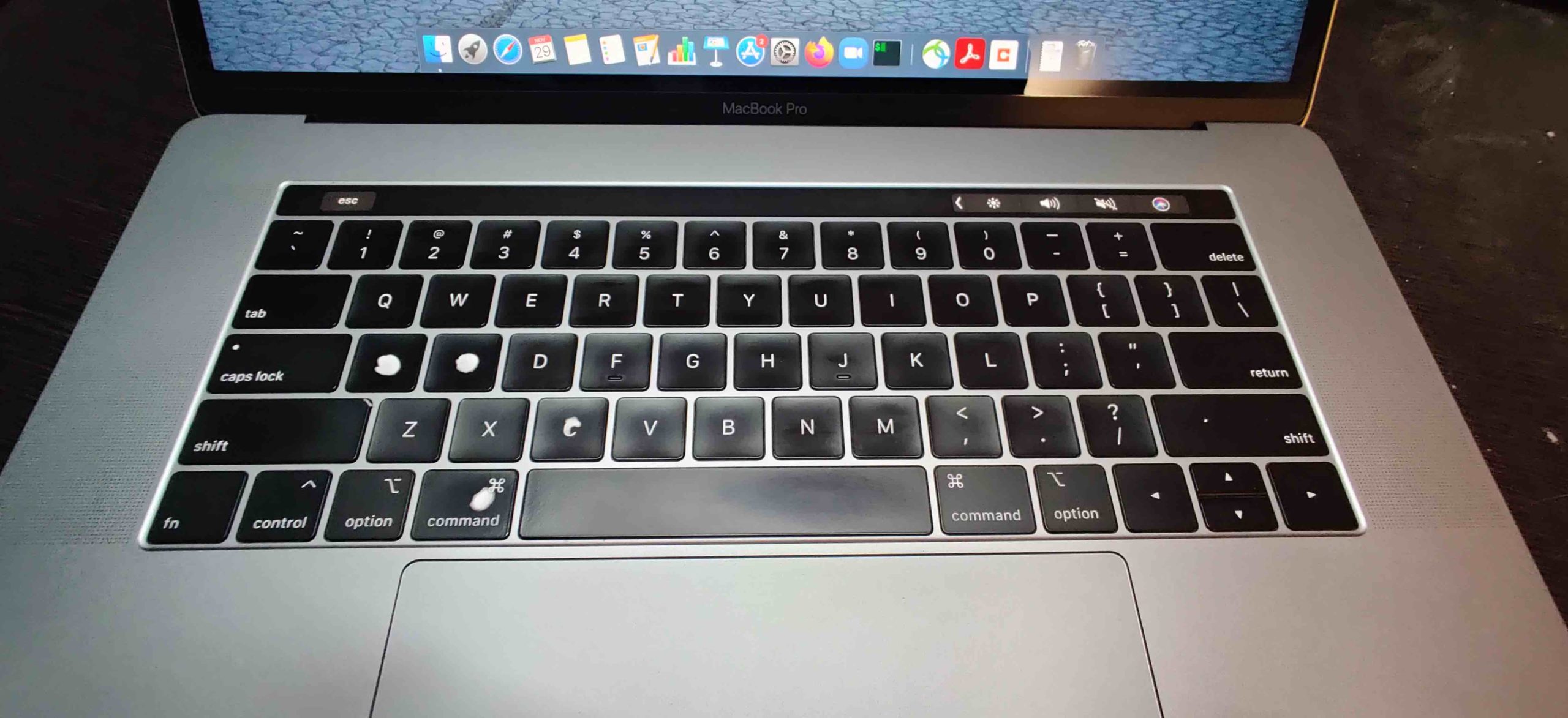
The Touch bar which was introduced in 2016 is a handy add-on. Initially I was skeptical on using it but then I found that it comes in handy for certain use cases like Emojis, IDE specific editing, Video editing and while watching you tube videos. Though I would like to mention the Siri button on the touch bar is very touchy. It gets pressed accidentally and all hell brake loose when the Siri gets activated.
UPDATE: It has been approximately 1.5 years now using this Macbook Pro and the keyboard has started to show its age. If you look close, few buttons have faded and I can now feel repetitions with A & C keys in particular. At a price premium of more than 2.5 Lakhs in India, one does not expects these issues with less than 2 years of ownership.
TOUCH-PAD & MOUSE
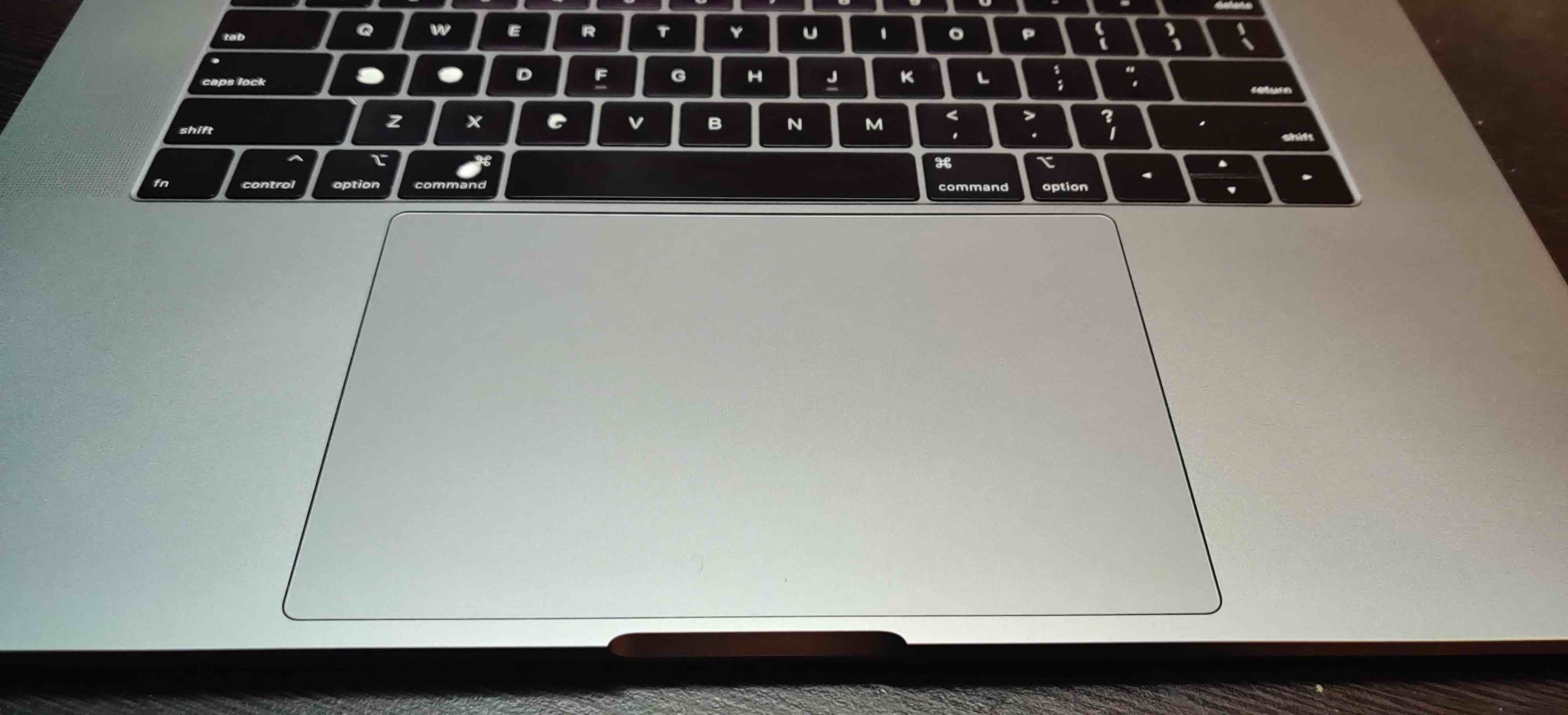
The glass touch pad is what you need while typing / doing regular work. The feedback is consistent and one of the best out there. It does not come in your way while typing being large enough for those 2 handed selections.
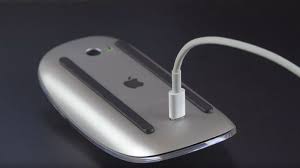
Apple external mouse gets the job done but I believe the feel & feedback can be better. The mouse fits quite low in hand and make the hand ache after long use. I found the non Apple mouse to be better for longer duration. Apple Magic mouse battery is very good and can last for a month on full charge, even when you do not turn the mouse off while storing. This part is really amazing. What is not is the placement of charging port. It is as awkward as it can be. See for yourself.
FORM FACTOR
The form factor is the best though given the kind of performance that is being provided it can be improved. The body is quite sleek and bezels very little. Now after the removal of big fatty USB and RJ45 ports it has become even more sleeker. Thanks to the thunderbolt v3 (USB Type C compatible) ports everything can be connected via them. There are 4 thunderbolt ports with 1 headphone+mic port. Charging and accessories is overloaded on all the 4 thunderbolt ports.
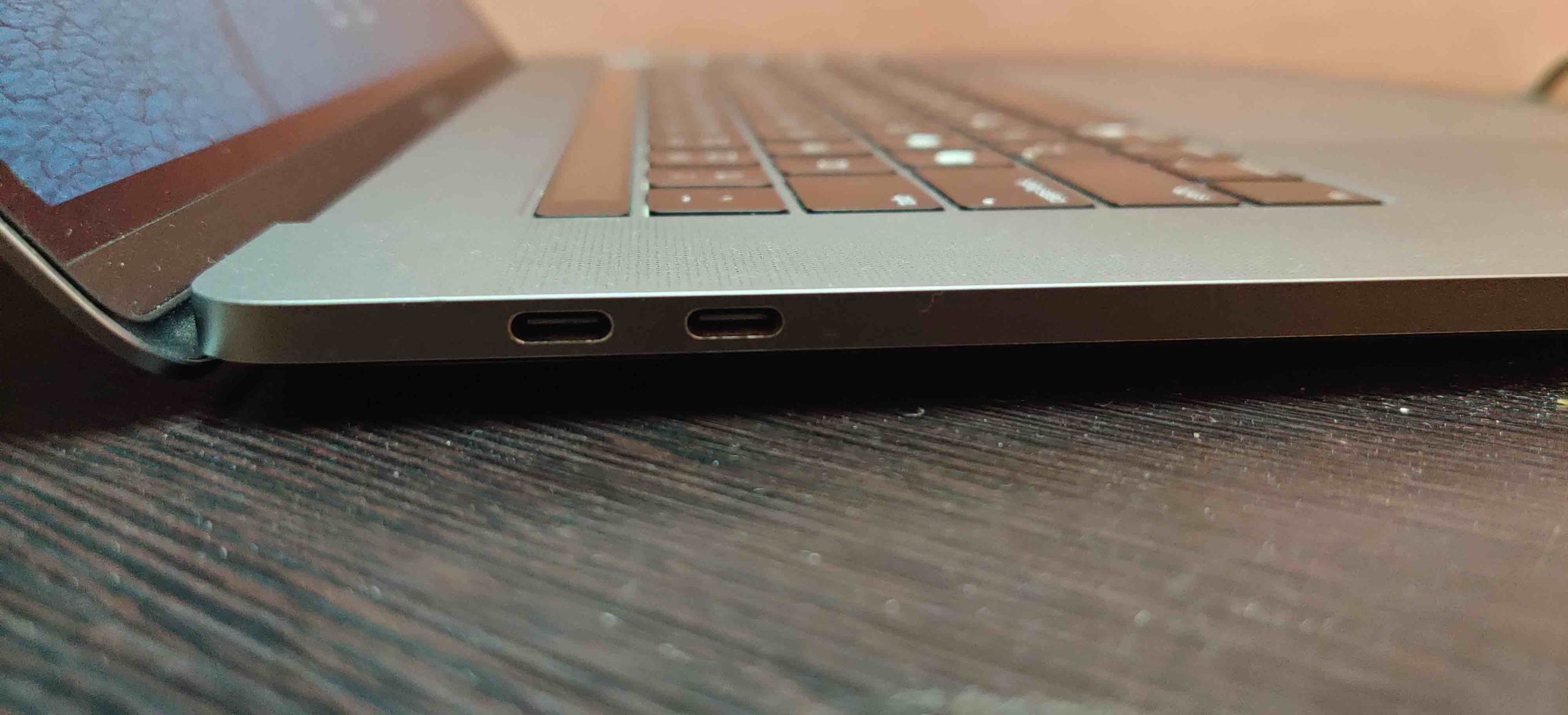
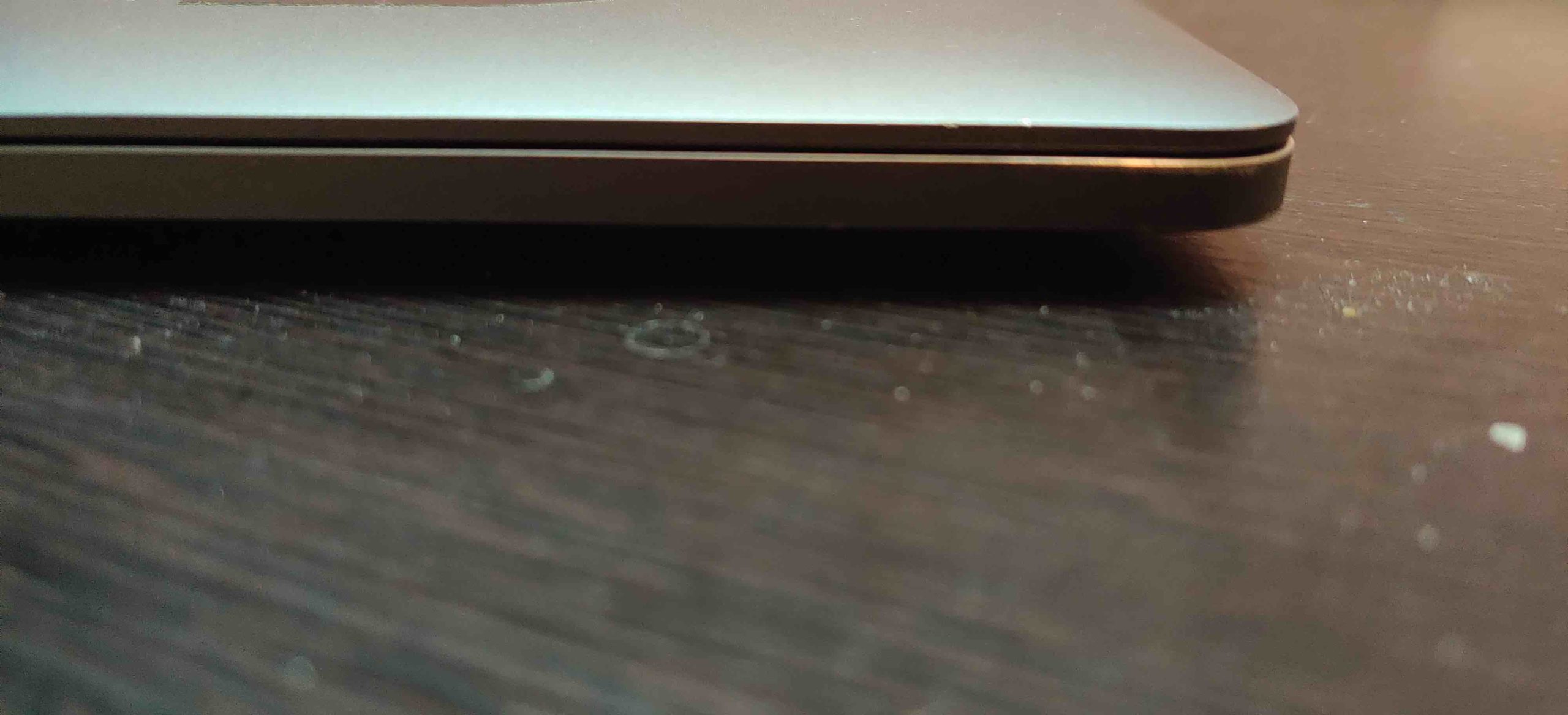
Though the MB is sleek yet it is very sturdy. An all aluminum single block body gives you the confidence to carry this everywhere. I usually handle it via the screen along the bezels only because I know it might not go off.
PERFORMANCE
Although the MacBook comes with good hardware specifications yet my MB starts showing symptoms of concern within a day of use. Yes I have to restart my MB every day to keep it running healthy otherwise things like slow internet, excessive heating, random freeze moments and abrupt panic reboots happen. I use PyCharm along with MS Word & Excel at times and that means my MB goes into a state of torture during that time.
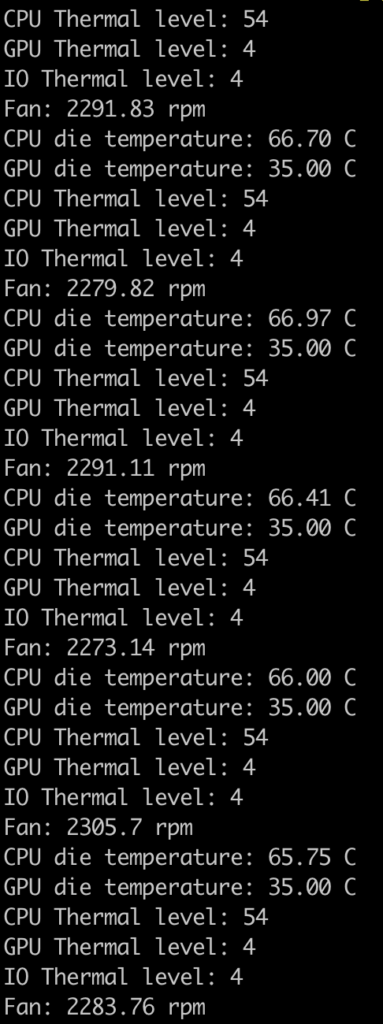
Here are the thermal details when Firefox with 7 tabs, MS Outlook, Webex Teams and Wrangler is running. Looks cooler.
Lets start PyCharm now and see the readings again.
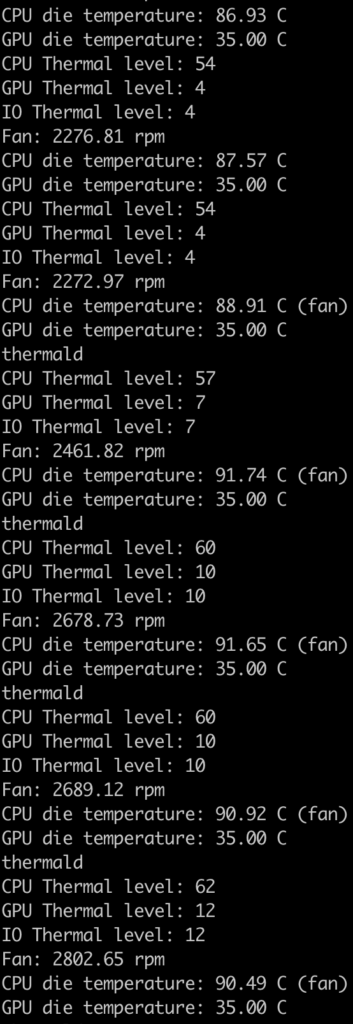
If you see the CPU temperature idles at ~90 degrees which is high considering this is a 6 core CPU with 12 threads.
Forget about running any Virtual Machines or any AAA titles. I think MB might blast with those loads.
An issue that I have noticed when these symptoms appear is the SWAP usage increases drastically which adds oil to fire, like literally. See for yourself below:

I tried clearing up the cache periodically, disabling new updates and few more tricks but all went in vain. Looks like for now I will have to continue using the daily restart approach.
Battery
Battery is backup is very good as with other apple devices. Though they age and the backup reduces by 15% nearly but still it outlasts most of the other notebooks in the segment and specifications.
Charging the battery from 0 to 100 take about 2.5 hours. It gets hot while charging.
Overall Verdict
Well I think the MacBook or any Apple product for that reason deserves to be applauded for the sheer good looks and form factor. Also not to mention the solid build quality however the newer generations have seen a dip in the outright performance and are being geared more towards generic computing use. Though it would be blame Apple entirely. Applications are becoming more smoother, provides better graphics and overall better experience. To achieve all three of them and even after numerous optimizations the generic hardware footprint have gone considerably up.
I remember when I had got my first desktop with a pentium 3, 933 MHz and merely 128 MB RAM with just 40 GB magnetic storage. Modern day applications have definitely come quite far and now software also tends to follow the Moore’s Law with the number of threads growing more than double every year.
The Apple MacBook Pro, 2018, is a very sexy looking machine for anyone but power users. If you want to show off, want a notebook with approximately 6 hours of battery backup, high resolution crisp display or if you are just an Apple Fanboy go ahead and buy this super complex pricey affair.
But if you are one of the few, who would want to also configure their notebooks just like the desktops then purchase a budget and mod friendly Chinese laptop and then sky is the limit.
Also do not forget to get your favorite flavor of GNU Linux installed on that.